

If you notice your parent’s elbows locked straight, their shoulders shrugged up toward their ears, or their back hunched over their walker, the device is set to the wrong height. Walkers are designed to provide independence, but incorrect alignment turns a simple walk into a painful, exhausting struggle—and significantly increases the risk of dangerous trips and falls.
Getting the height right changes everything. It restores natural posture, reduces joint fatigue, and gives your loved one the stability they need. This guide breaks down exactly how to do a walker height adjustment, measure your parent safely, adjust standard walkers and rollators step-by-step, and fix common height mistakes.
Why Walker Height Matters More Than You Think
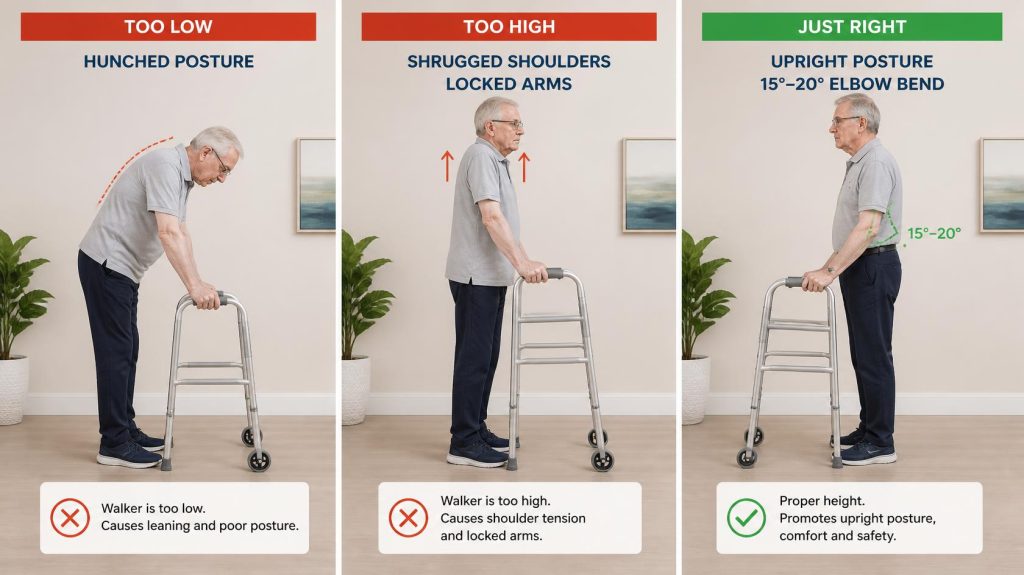
When a walker sits too low, your parent is forced to hunch forward. That constant bend places intense pressure on their lower back, wrists, and shoulders. Within minutes, fatigue sets in, and they are much more likely to abandon the walker altogether.
When a walker sits too high, their elbows lock, rendering their arms incapable of absorbing shock. If they stumble, a high walker offers zero leverage to catch themselves.
Caregiver Tip: A properly adjusted walker allows your parent to stand upright with a slight bend in their elbows—usually around 15 to 20 degrees. This posture keeps their center of gravity balanced directly over the device’s base.
The Hidden Risks of Incorrect Settings
- Increased Fall Risk: An improper height shifts your parent’s weight forward or backward, making the wheels or tips catch unexpectedly on rugs and door thresholds.
- Joint and Muscle Strain: Poor alignment forces neck muscles, shoulders, and lower lumbar discs to overcompensate.
- Reduced Independence: When using a walker hurts, seniors naturally walk less, leading to rapid muscle loss and overall deconditioning.
Step-by-Step Guide: How to Adjust a Walker’s Height
Adjusting a standard folding walker, rolling walker (rollator), or bariatric model is straightforward once you know the exact steps. Grab your parent’s everyday walking shoes before you begin.
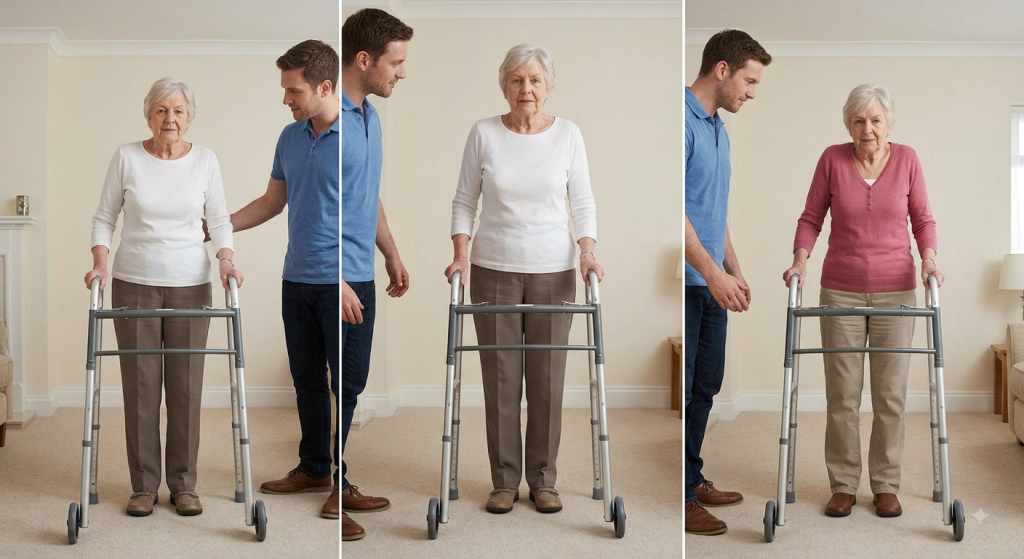
Step 1: Prep Your Parent and the Equipment
Have your loved one put on their regular walking shoes. Have them stand inside the walker frame, facing forward, with their feet planted flat and shoulders relaxed. If they use orthotics or ankle braces, make sure they are wearing those too, as footwear changes overall standing height.
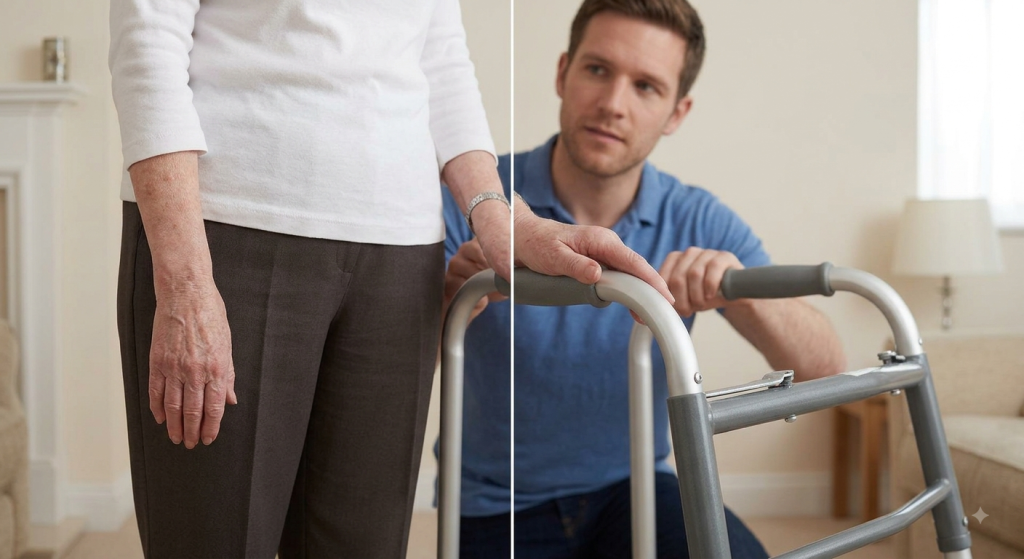
Step 2: Check Arm and Wrist Alignment
Ask your parent to let their arms hang naturally at their sides with a relaxed posture. Look at the handgrips of the walker. The top of the grips should hit right at the wrist crease—the horizontal fold where their hand meets their wrist.
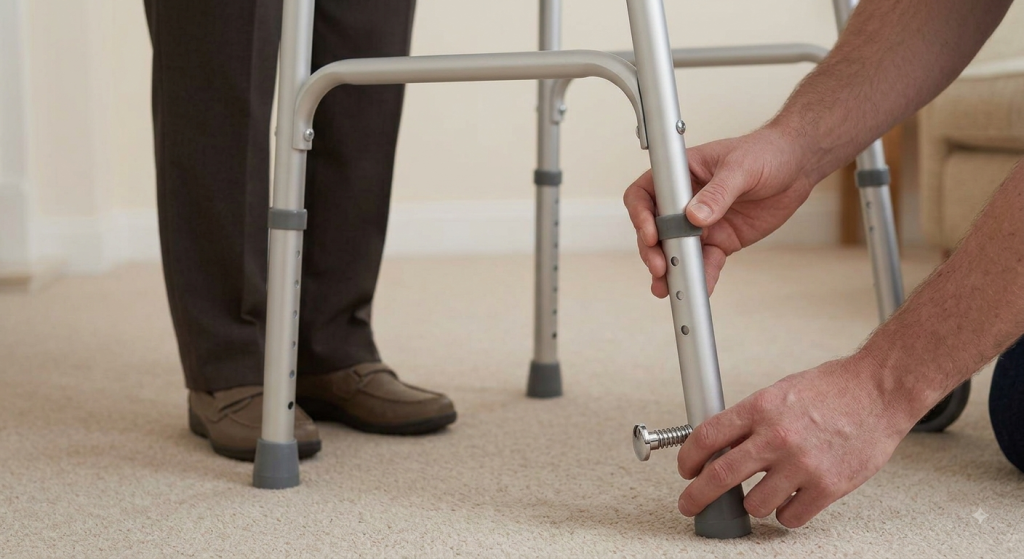
Step 3: Release the Locking Mechanisms
Most standard walkers and rollators feature push-button pins or metal thumb-screws on each leg.
- Depress the spring-loaded push button firmly.
- Slide the leg extension up or down to the desired hole.
- Ensure the pin pops completely back out and locks securely into the new adjustment hole.
If the leg buttons are stiff or worn out, replacing the walker leg extension glides or replacement rubber walker tips ensures maximum stability.
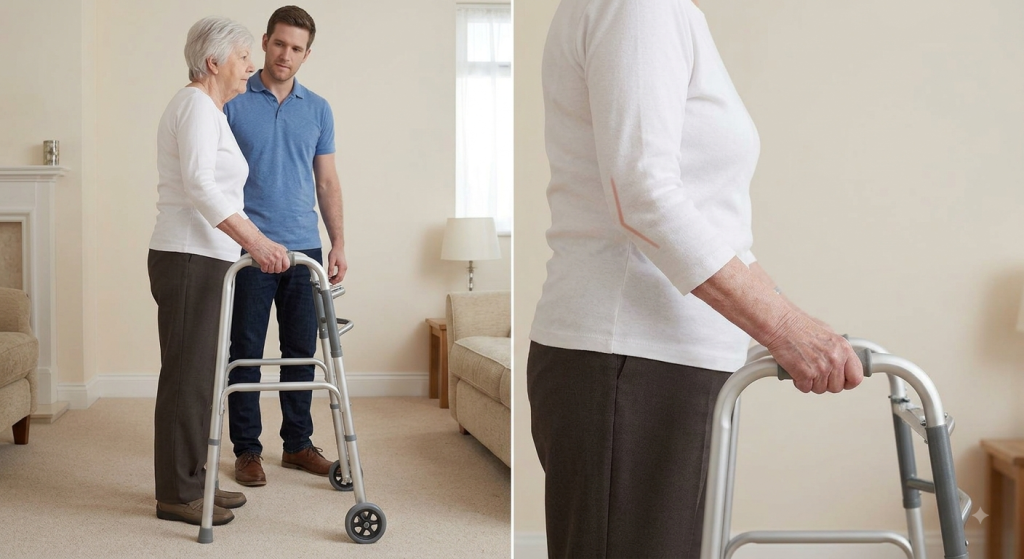
Step 4: Verify the Elbow Angle
Once you adjust all four legs to the exact same height, have your parent place their hands on the grips. Look at their elbows from the side. You should see a soft, comfortable bend measuring roughly 15 to 20 degrees.
Common Walker Height Mistakes to Avoid
Even well-meaning caregivers occasionally fall into simple measurement traps. Watch out for these common errors:
- Measuring Barefoot: Shoes add anywhere from half an inch to an entire inch of height. Always measure with shoes on.
- Ignoring Uneven Leg Adjustments: It sounds obvious, but it is remarkably easy to set the front left leg to hole number four and the back left leg to hole number three. Double-check that all four legs match.
- Copying Height From Another Device: A cane height and a walker height are entirely different. Canes are held further to the side, while walkers surround the user’s body.
- Forgetting to Test the Locking Pins: If a push-button pin does not click fully through the frame tubing, the leg can collapse under weight. Always pull down firmly on the leg extension to verify it is locked in place.
Final Thoughts
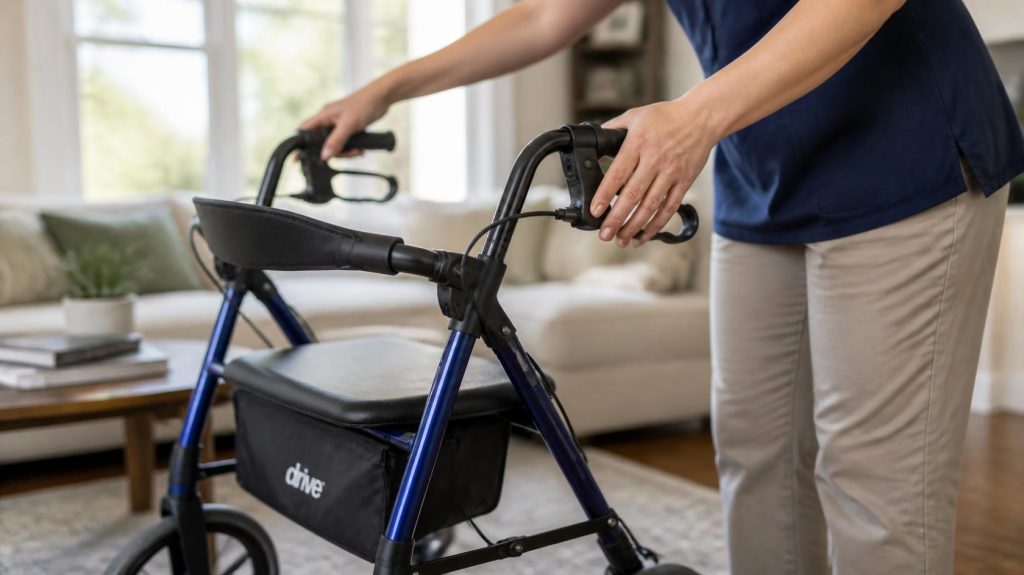
Taking the time to perform a proper walker height adjustment is one of the simplest, most impactful things you can do for your aging parent’s daily safety and comfort. By matching the handgrips to their wrist crease, ensuring a slight elbow bend, and verifying that all four legs lock securely, you eliminate unnecessary joint strain and protect them from preventable falls.
Caregiving involves a thousand moving parts, but getting this foundational piece right gives both you and your parent peace of mind on every walk.
Frequently Asked Questions
How do I know if my parent’s walker is too high?
A walker is too high if your parent’s arms are completely straight and locked at the elbows while holding the grips. When a walker sits too high, they lose leverage, their shoulders shrug upward toward their ears, and they cannot comfortably bear weight downward into the frame if they start to lose their balance. Lowering the frame by just one or two adjustment holes usually restores a natural 15-degree elbow bend.
Should I measure walker height with shoes on or off?
You should always measure walker height while your parent is wearing their regular, supportive walking shoes. Shoes add height that changes how they stand and interact with the floor. If you adjust the walker barefoot, your parent will end up hunching forward slightly every time they put on shoes to go outside.
Can an incorrect walker height cause lower back pain?
Yes, an incorrect walker height is a frequent, overlooked cause of lower back pain in older adults. If the walker is too low, the user must bend forward at the waist. This flexed posture places continuous, unnatural stress on the lumbar spine muscles and discs, leading to fatigue, stiffness, and chronic discomfort during and after short walks.
How often should I check my parent’s walker height?
You should check your parent’s walker height every three to six months, or anytime they get new shoes, experience sudden weight changes, or report new shoulder, wrist, or back pain. Small posture shifts and footwear changes accumulate over time, meaning an ideal setting today might need slight tweaking later on.
What tools do I need to adjust a standard walker?
Most modern standard walkers and rollators require no tools at all. They utilize built-in spring-loaded push-button pins. However, some older models or heavy-duty bariatric rollators use adjustable metal thumb-screws, locking bolts, or Allen wrenches. Always check the manufacturer manual before forcing a stuck adjustment mechanism.
Why do my parent’s wrists hurt when using a walker?
Wrist pain usually indicates that the walker is set too low, forcing the user to lean their body weight forward onto their hands at an awkward angle. It can also happen if the handgrips are worn out or lack shock-absorbing padding. Adjusting the height upward to the wrist crease and adding ergonomic foam covers often resolves this issue immediately.
How do I adjust a rollator with hand brakes?
Four-wheeled rollators often feature height-adjustable handles secured by a star-shaped tightening knob or a locking bolt located on the outer frame. Unscrew the knob slightly, slide the handle up or down to align with your parent’s wrist crease, make sure the brake cables are not twisted or pulled tight, and then retighten the knob firmly.